RealmHound RotMG packet capture, DPS tracker and loot analytics
RealmHound is a high performance packet sniffer and analytics companion for Realm of the Mad God (RotMG) on Windows and macOS. Its purpose is to help you access and make sense of your in-game data, and to improve your experience by presenting information you already have in a clearer, more usable way.
It doesn't reveal anything hidden from you in game; it simply organises and presents your own account's data and the activity you've already observed. Many of these features are best experienced fullscreen, so if you have two monitors we highly recommend running RealmHound on the second one.
Important in-game currencies and account information accessible on all pages. See your dust, forge materials, battlepass/season end timer and more, without having to visit respective areas where the game shows this information.
Taskbar
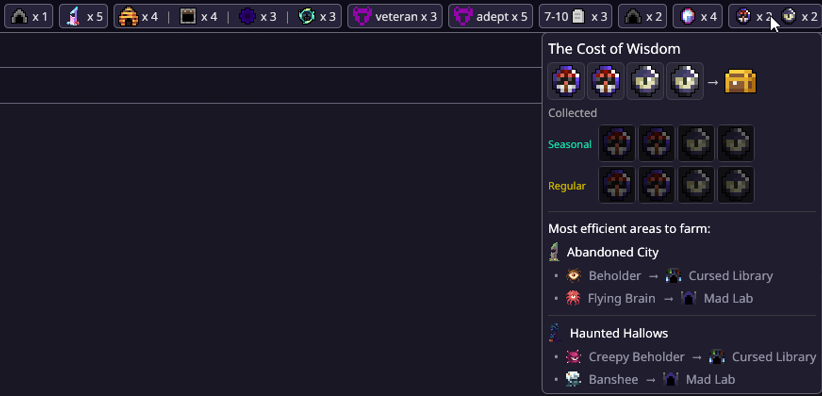
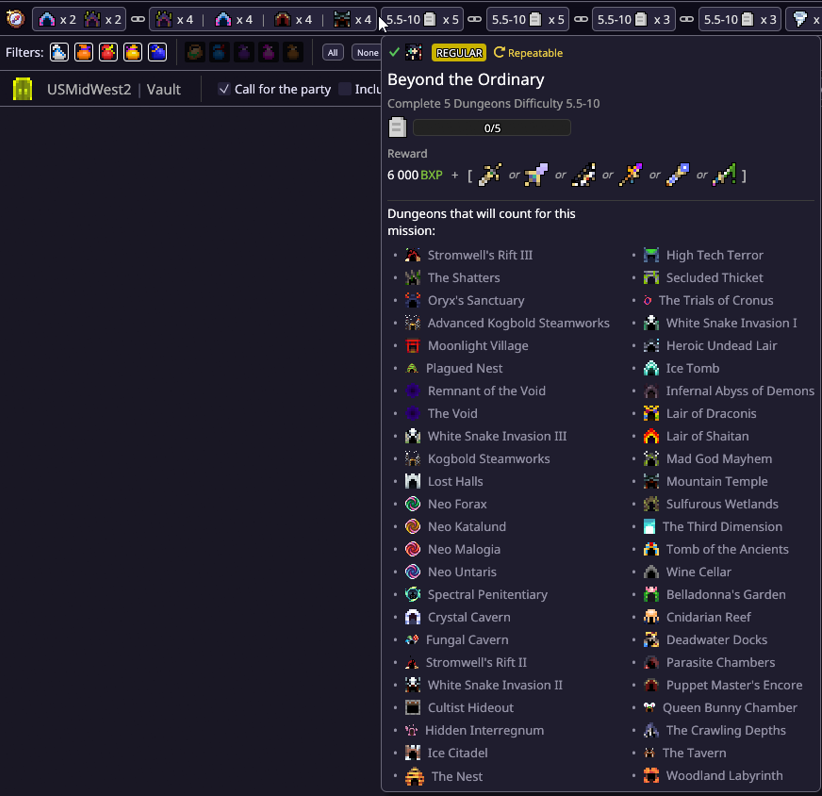
A compact tracker of remaining objectives from your active missions and daily quests, customizable and visible on every page. It merges quests and missions with matching objectives, suggests the preferable option when missions offer multiple choices, and links missions with similar objectives when they can progress together.
Detailed task information is available in hover tooltips, along with helpful tips about what counts toward the objective and where to find it in the realm.
Live Feed
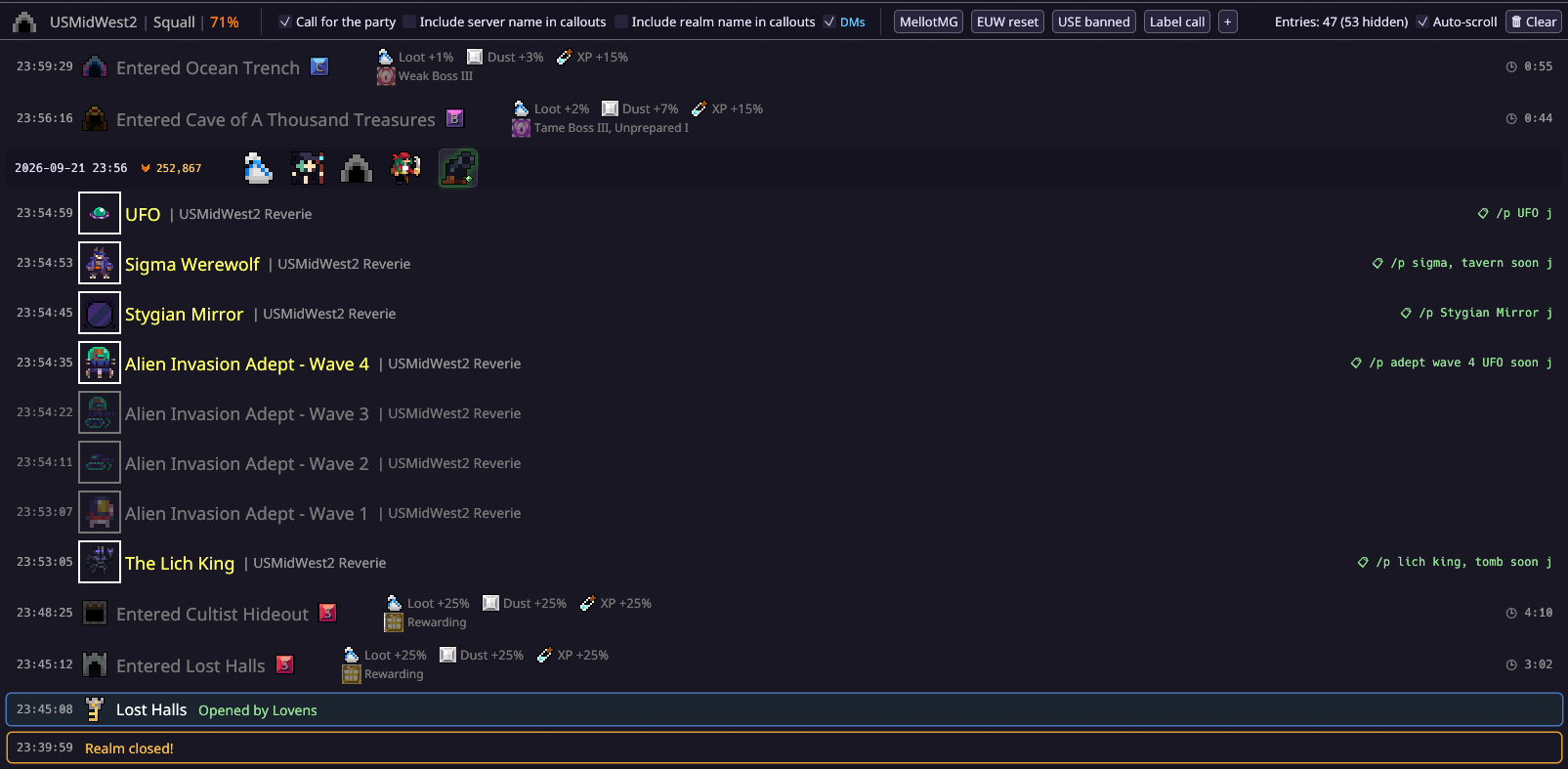
This is a hub for all information you see when you play in a realm. It keeps a short-term event log of:
Notifications of events announced by Oryx in your realm
Dungeons you chose to enter
Current server, realm name, and score %
Incoming direct messages
Alerts and notifications
This page also helps reduce typing when calling things in the chat for other players by using handy clipboard callouts.
Quests
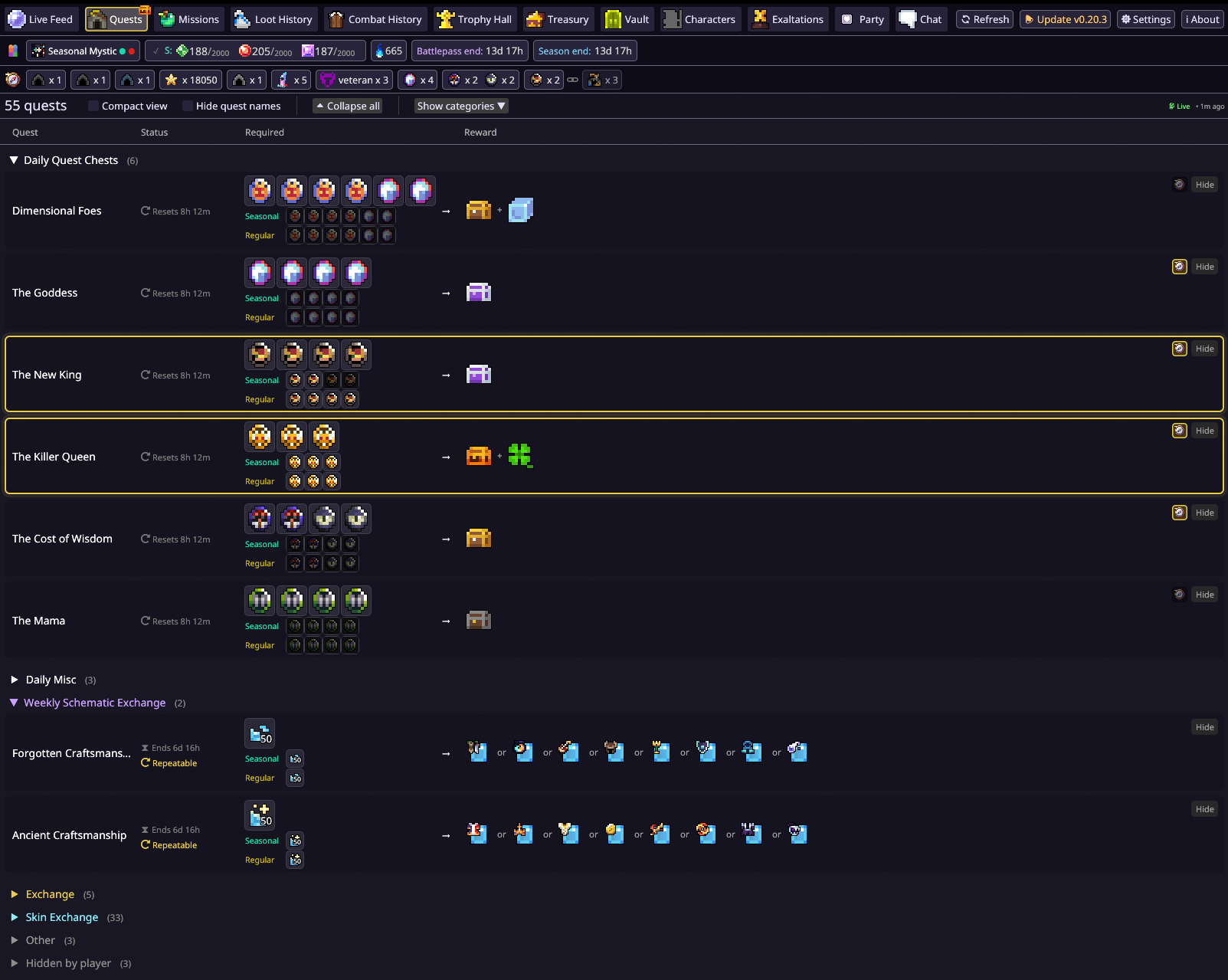
Daily and event quests from the Tinkerer all displayed on one page for easy access outside of this location, sorted into categories for your convenience. Visit Tinkerer Cave once per day and wait for the quests to load, then check your progress towards every quest, hide unwanted quests or entire categories, and choose which quests you want to track in the Taskbar. It also reminds you to claim chest rewards when you have the required Marks for a quest in Seasonal or Regular storage.
Missions
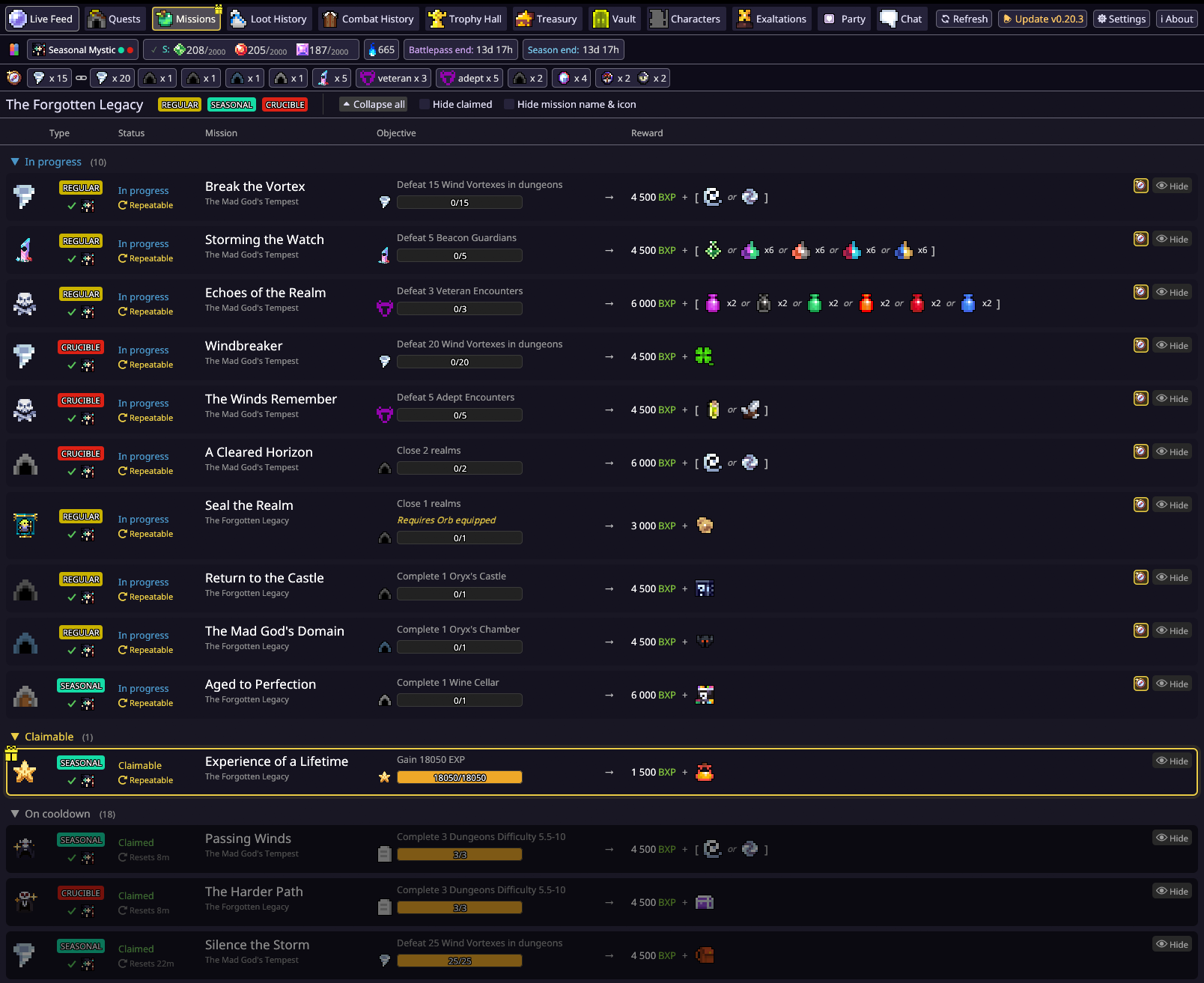
A list of all current-season missions, synced live with your progress and sorted into categories by status. Log into the game, then press Refresh in RealmHound to load/re-sync the missions. Build your own mission list by dragging mission cards or hiding those you're not interested in, then choose which missions you want to track in the Taskbar. It also reminds you to claim rewards when you have completed missions, checks whether your current character qualifies for each mission, and provides helpful tooltips for mission targets.
Loot History
Logs of loot dropped by monsters and flexible search through those logs. Try searching by item, enemy or a dungeon name. You can also view loot obtained by a certain character, apply filters to only show special items, or search by date.
Combat History
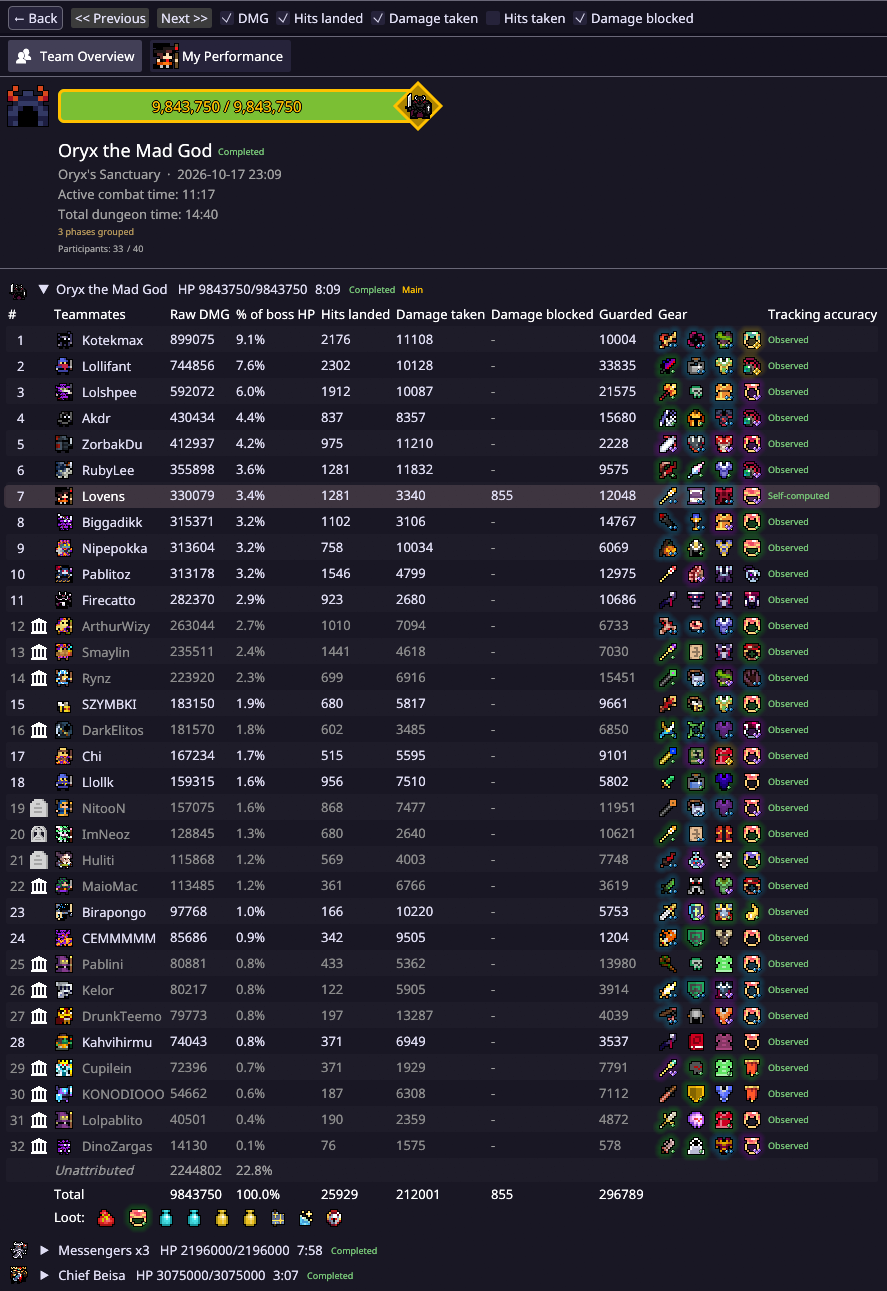
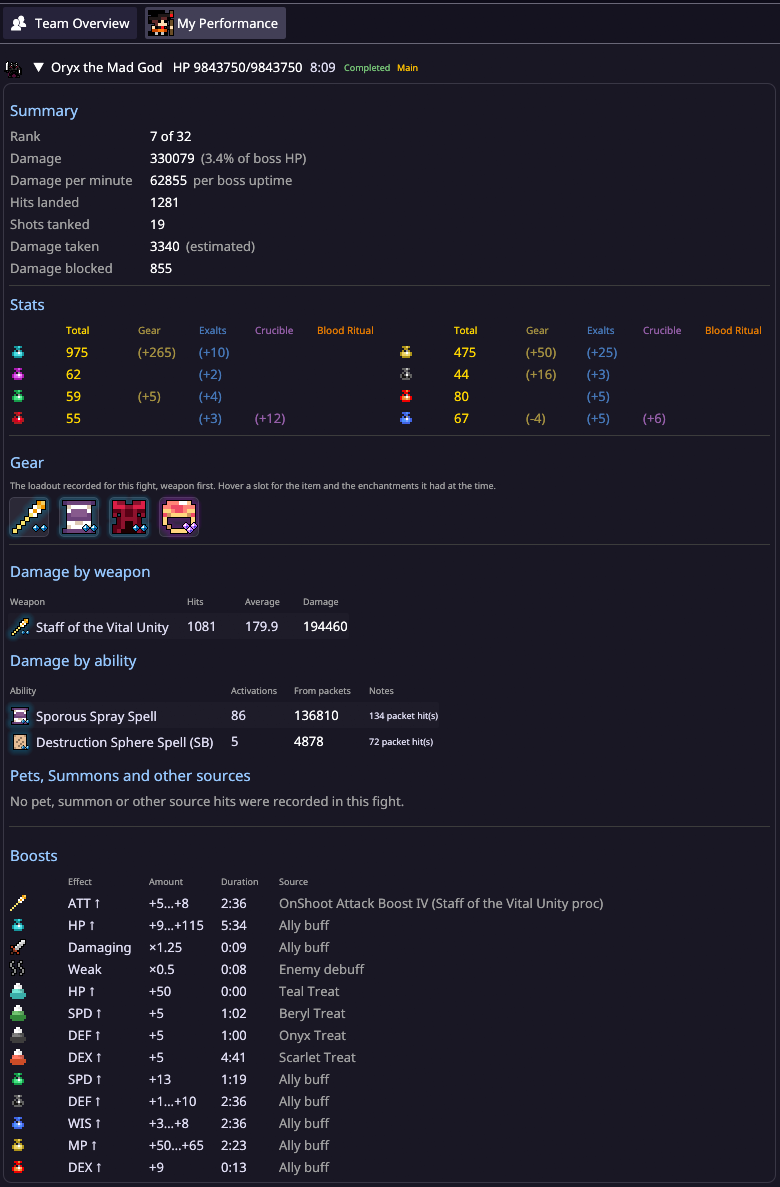
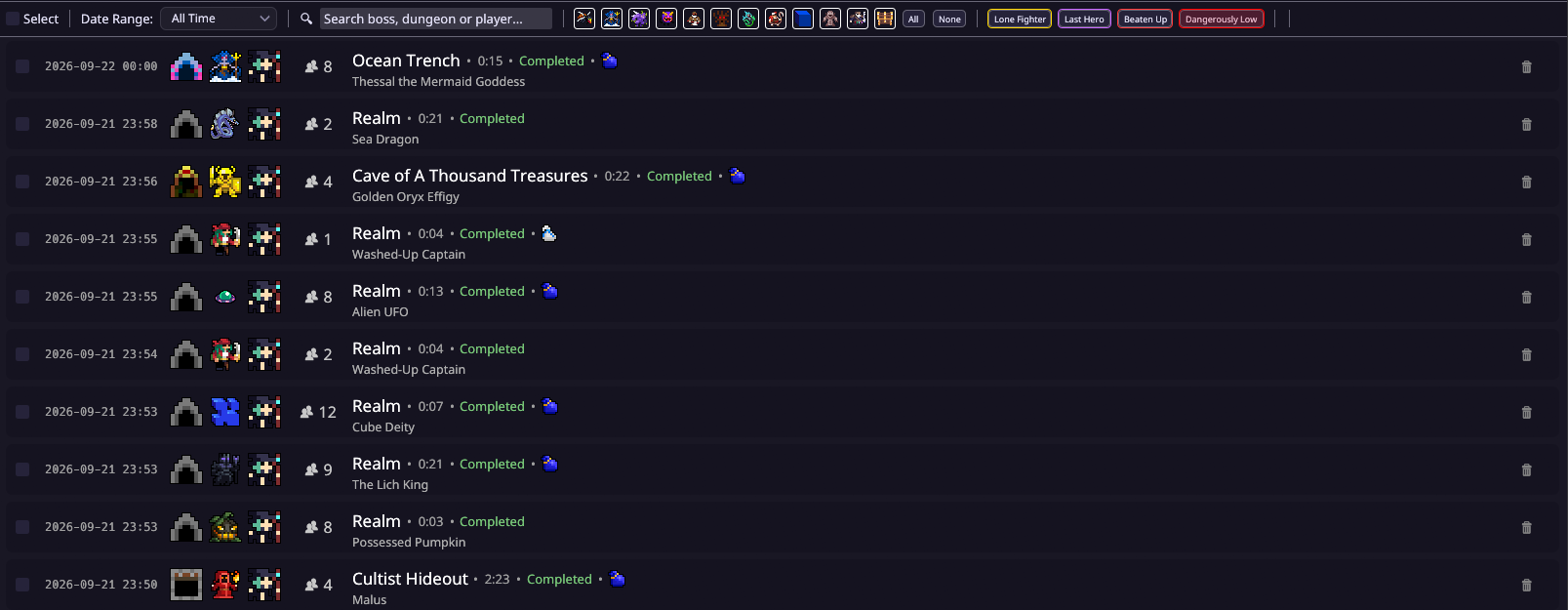
Records of your boss fights with detailed breakdown of each player's performance. You can view your entire team's damage dealt and taken.
My Performance tab shows a breakdown on your damage and all the variables that contributed to calculating it.
Use flexible search and filters to navigate all your past encounters and dungeons.
Trophy Hall
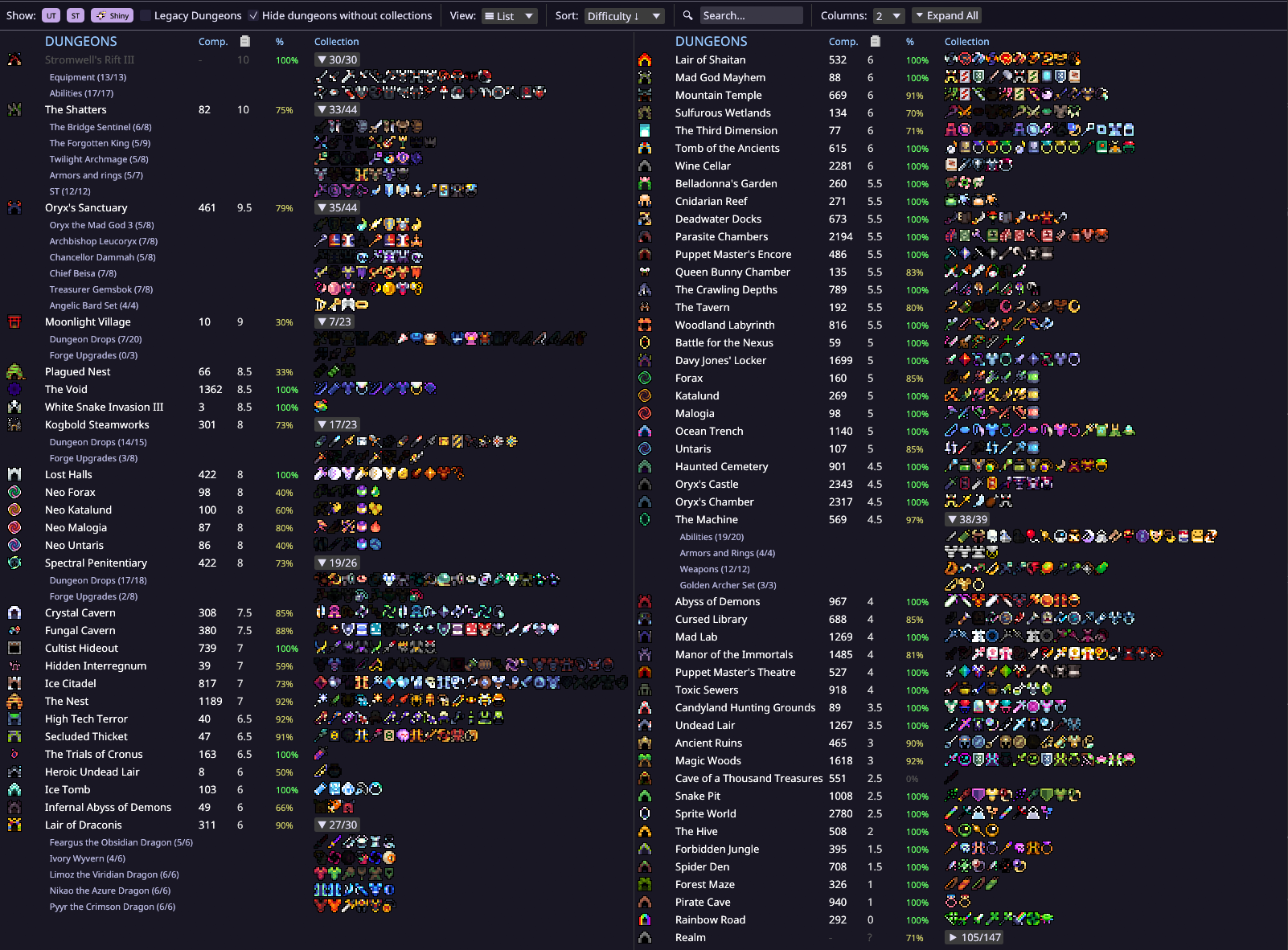
Browse all of your rare item collections meticulously sorted by dungeon.
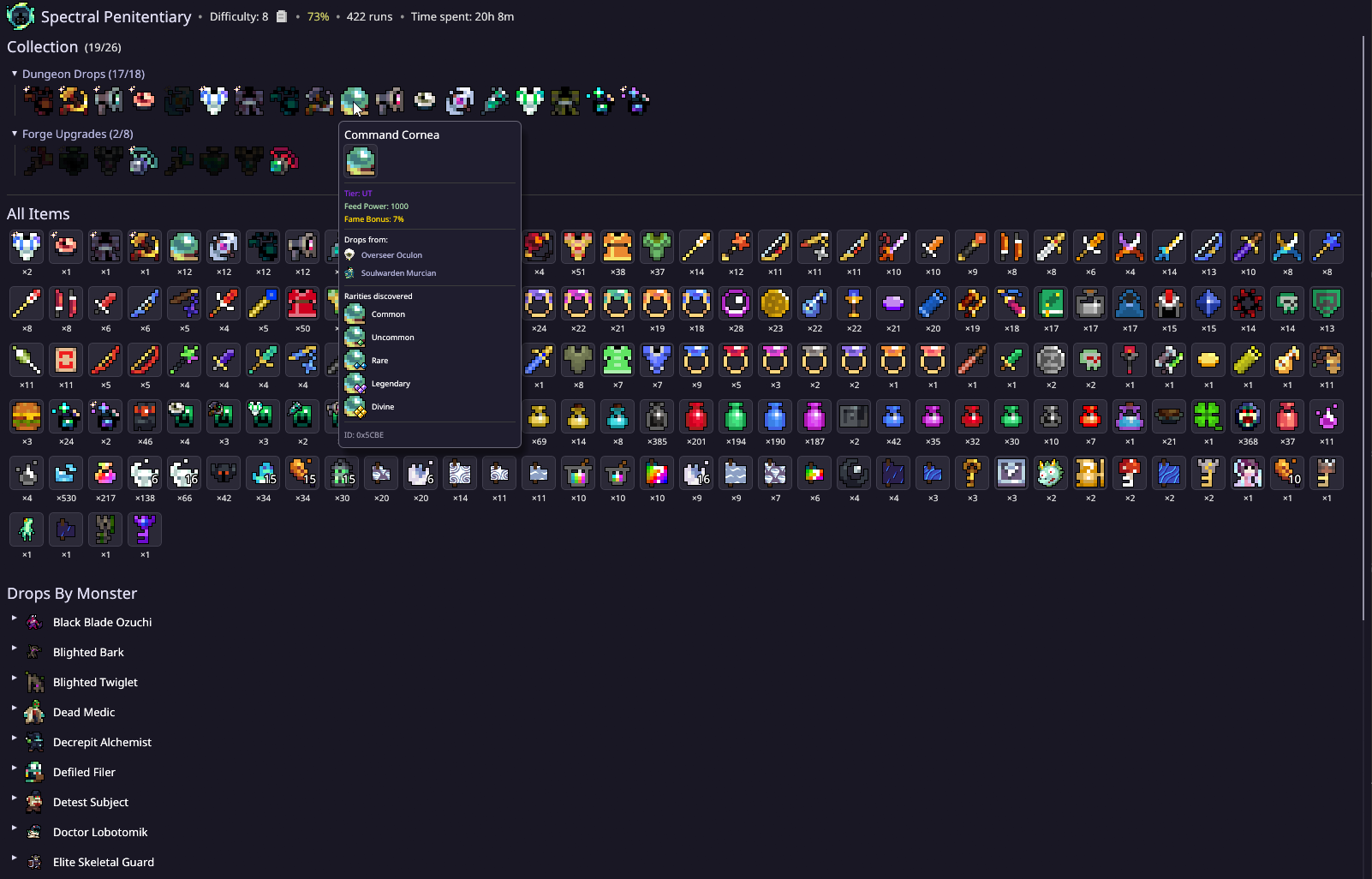
You can view summary of items obtained across all your dungeon runs inside individual dungeon pages, and explore your past and future item discoveries via tooltips.
Treasury
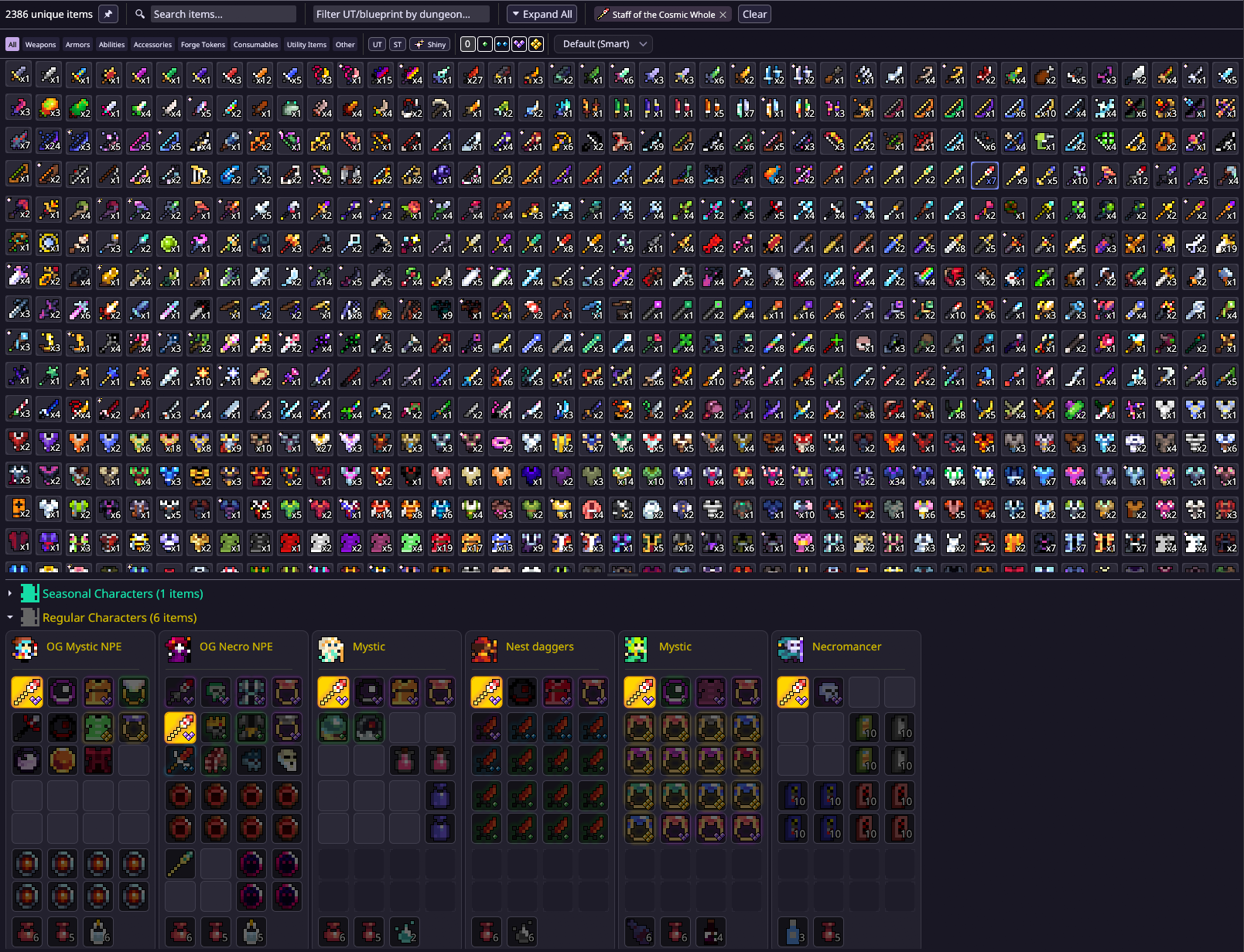
Browse and search every item on your account across all possible storage containers. View totals table with aggregated item count.
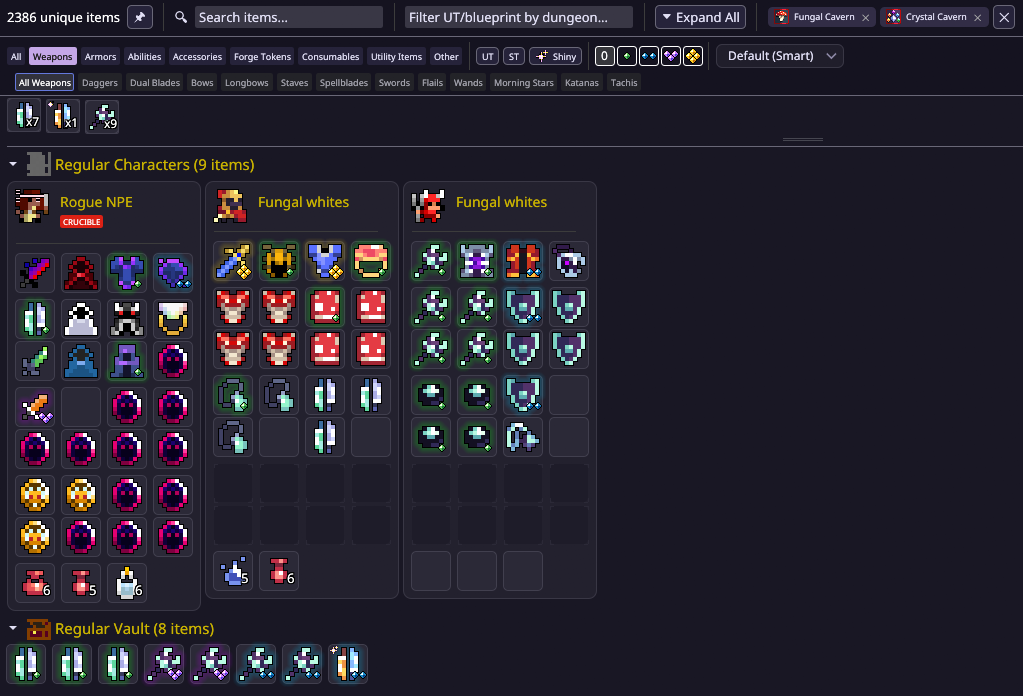
Filter items and blueprints by dungeon.
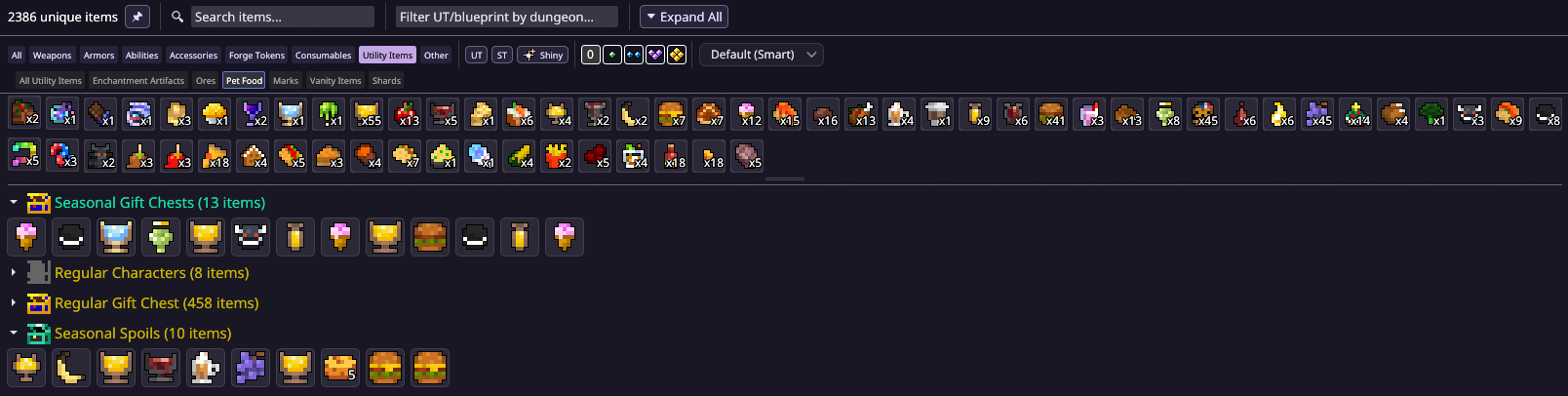
Or find whole item groups by categories.
Vault
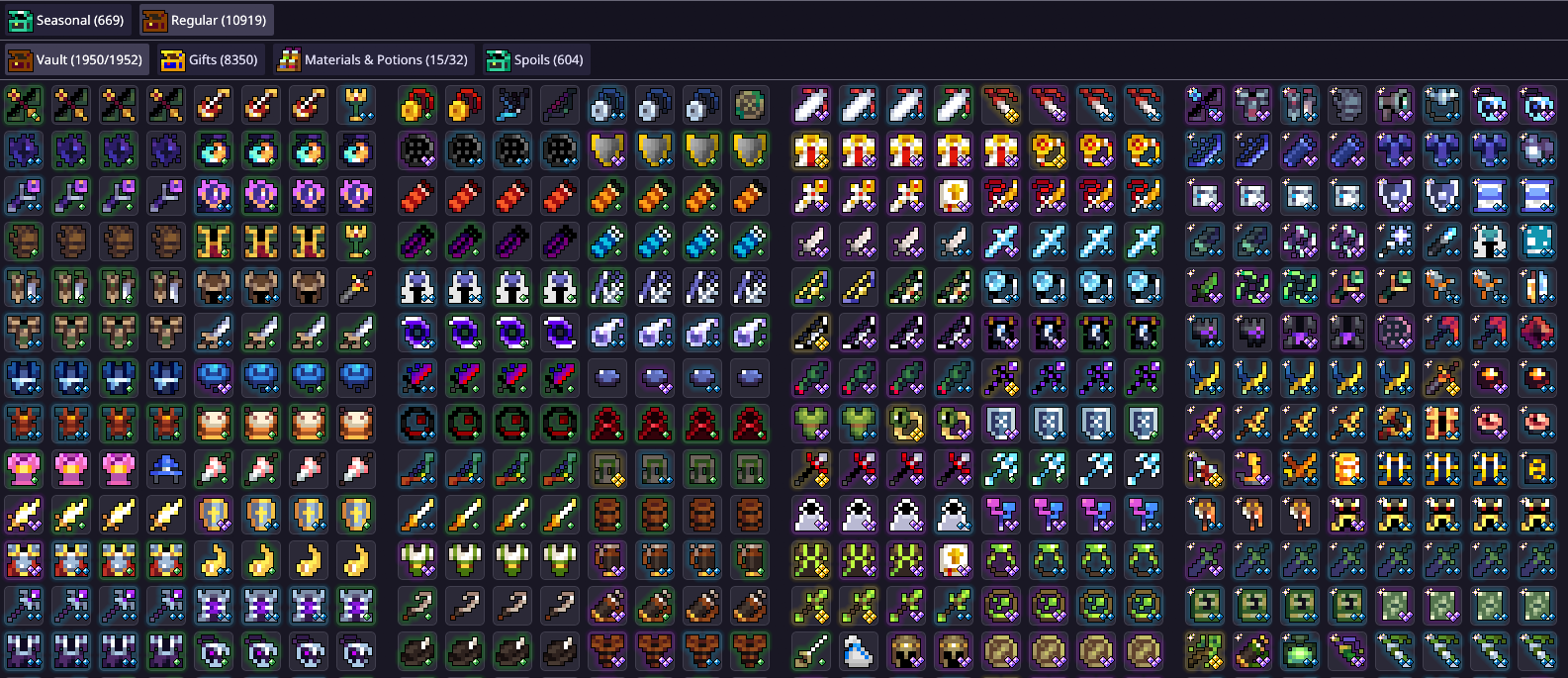
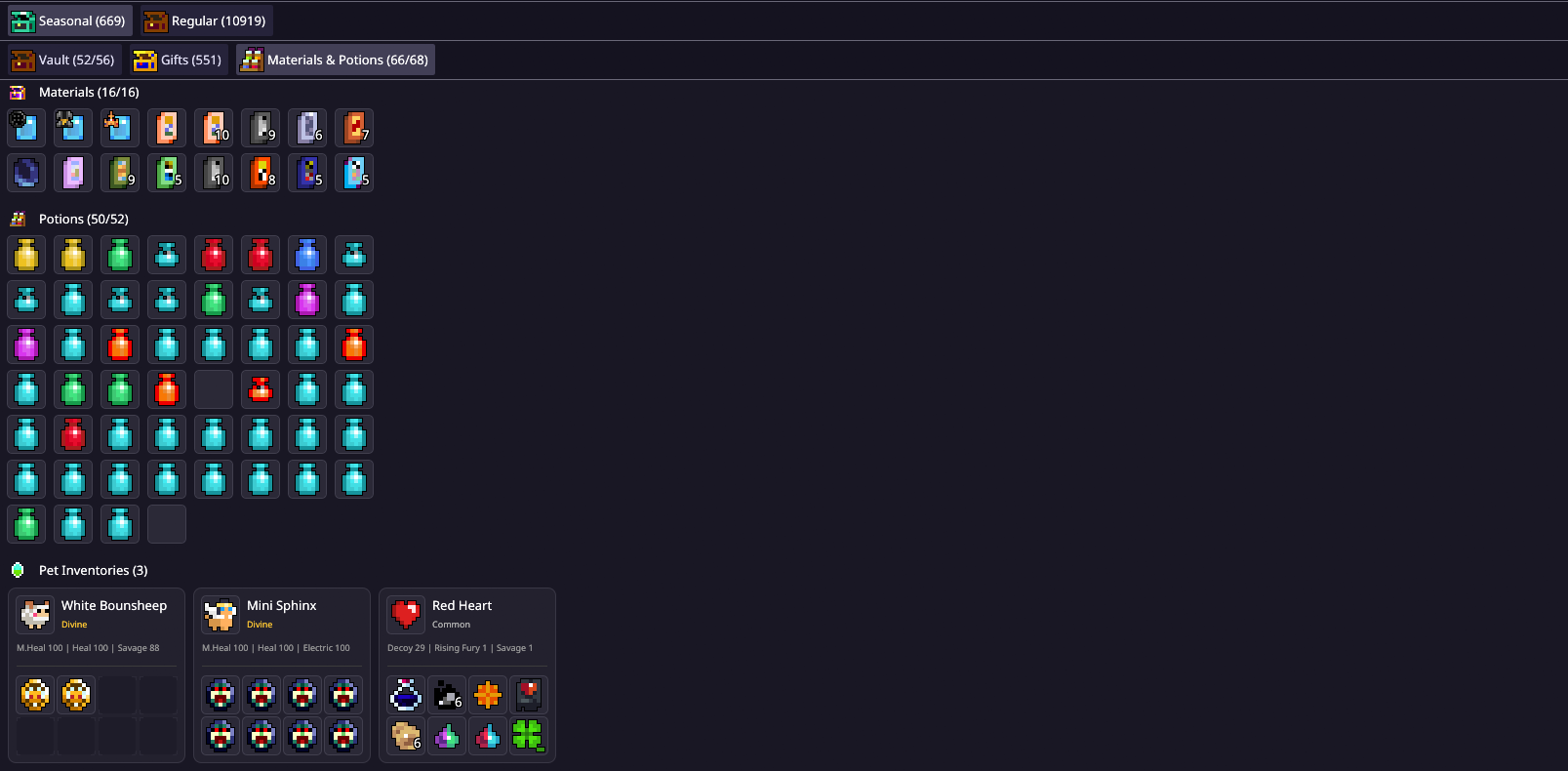
Accurate in-game replicas of your vault and other storage containers without loading these areas in game.
Helps to organise your vault and other storage space.
Characters
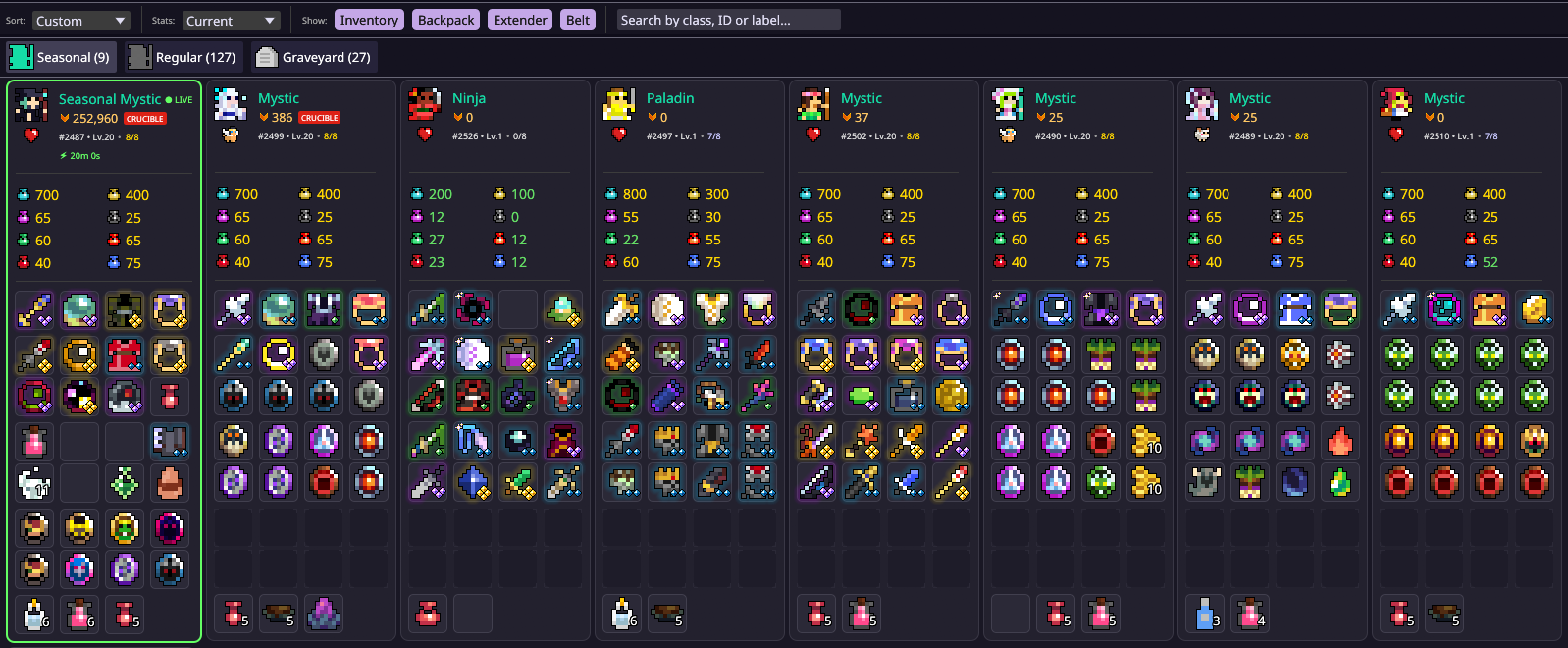
All your characters displayed on one page, sorted by mode (Seasonal/Regular) with flexible settings that show their equipment and inventories, statistics and maxing progression.
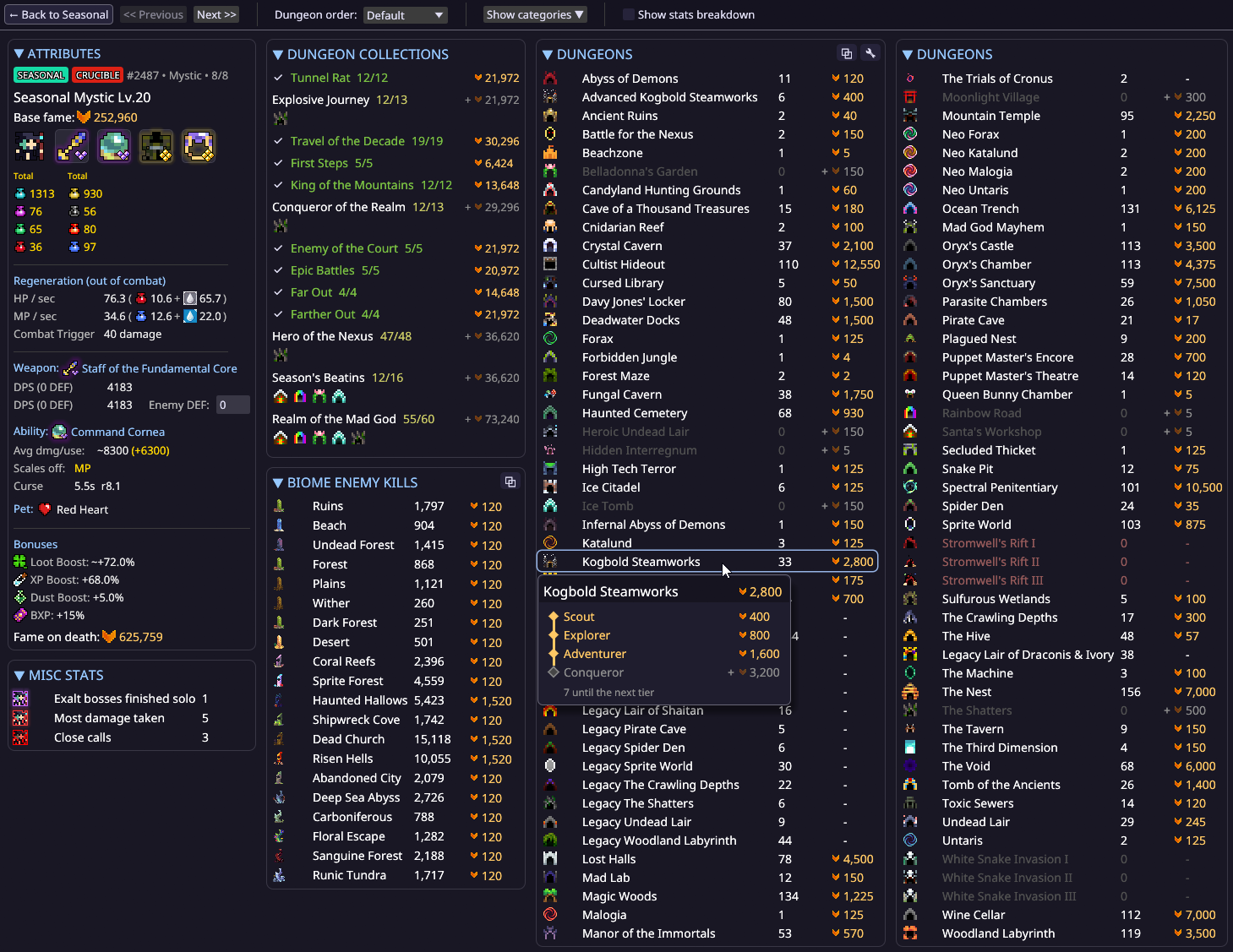
Individual character statistic pages have a built-in fame calculator and helpful tooltips to track progress for character fame reward milestones.
Exaltations
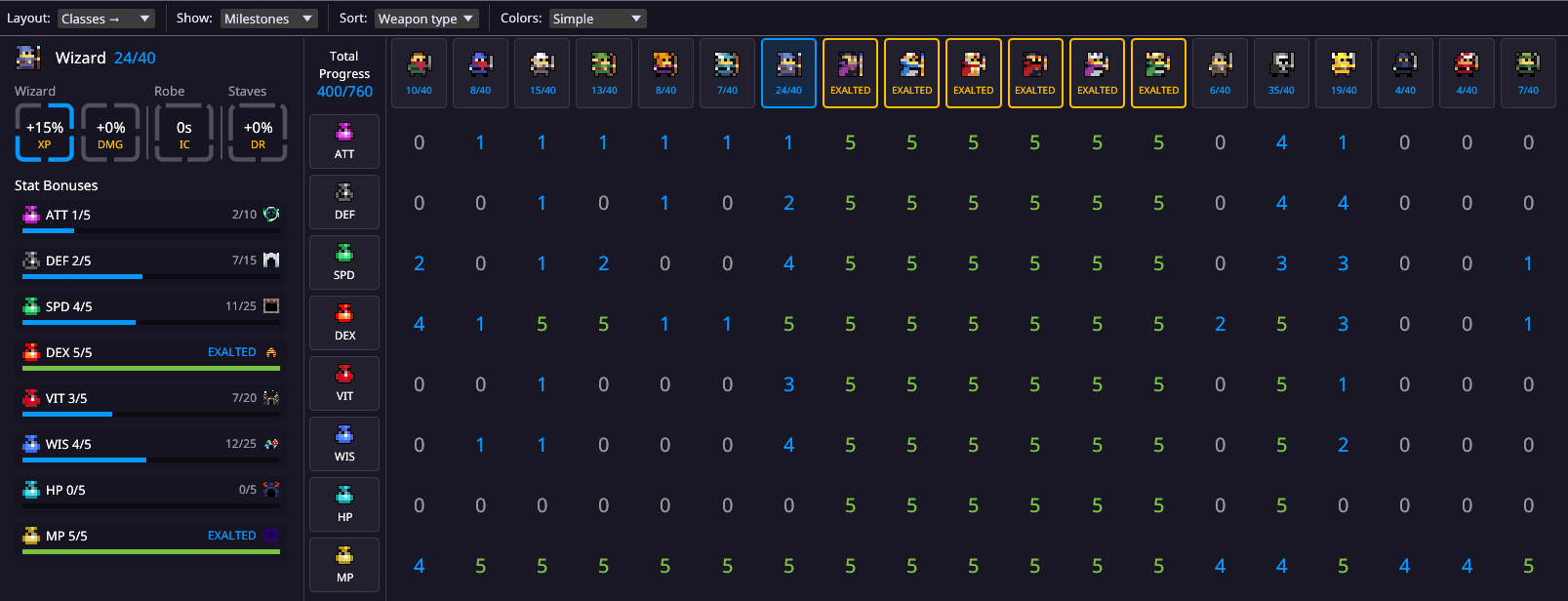
Account-wide exaltation progress broken down by class and different stats, all in one page.
Party
Party management, player information and other utilities. Helps keeping track of the party without opening Party UI in game.
Chat
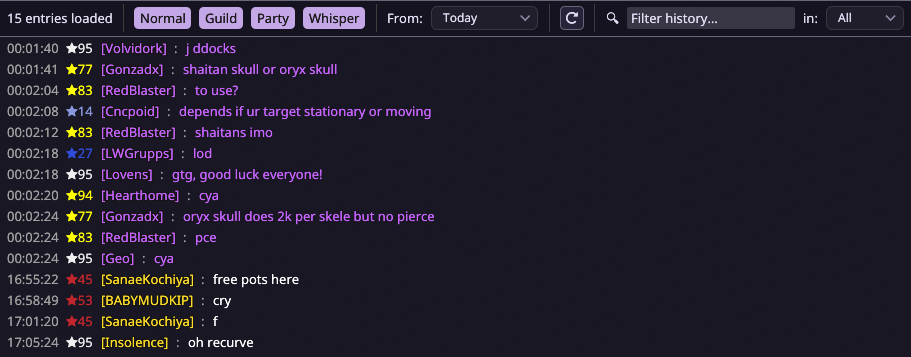
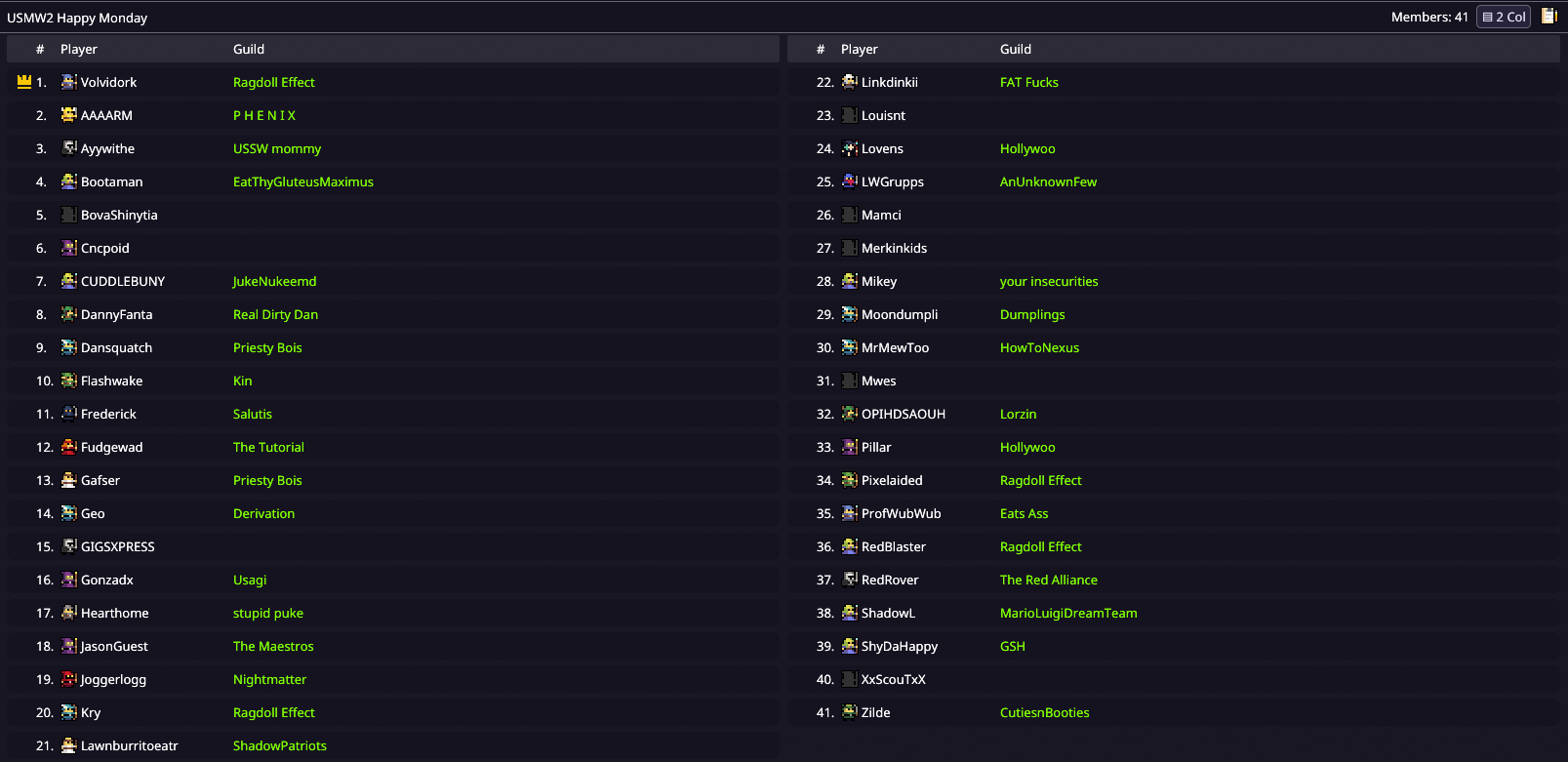
Searchable chat history and message logs. Browse entire conversations or find players you interacted with through chat - it's all stored here when you need it.
⚙ Settings
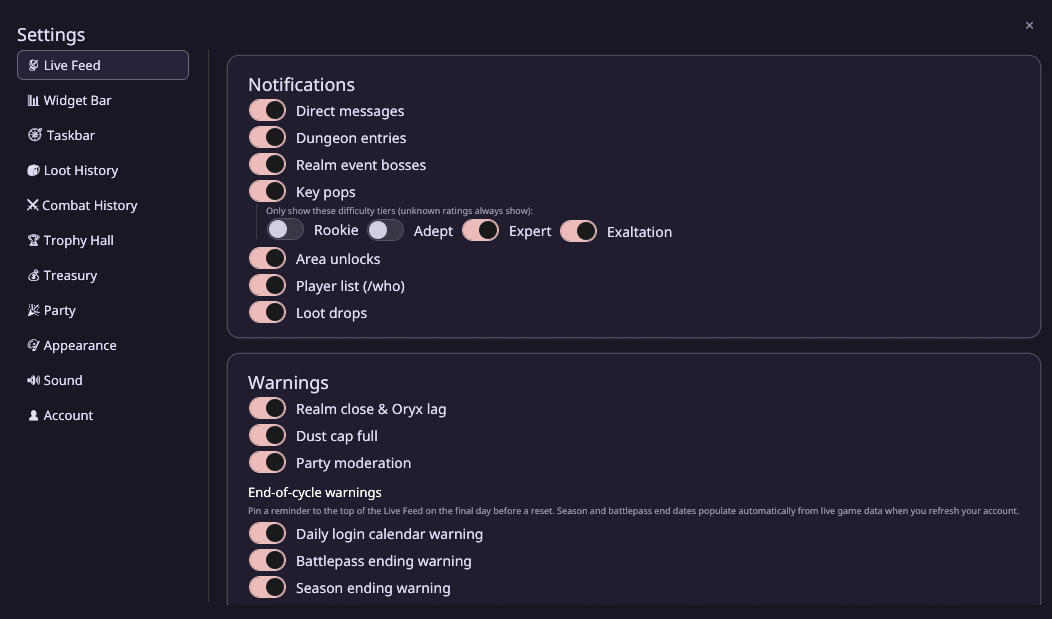
RealmHound has very flexible settings. Make sure to check them out to customise it to your liking!
Documentation
Reference material for RealmHound's capture, parsing, and analysis features.
Yes. RealmHound is free and open source under the MIT License, with no account, subscription or ads. Every release is published on GitHub Releases.
Which platforms does RealmHound support?
RealmHound runs on Windows 10 and 11 (64-bit) and on macOS 11 or newer, for both Apple Silicon and Intel Macs.
Does RealmHound need Npcap on Windows?
Yes. Packet capture on Windows requires Npcap, installed with WinPcap compatibility mode. macOS ships libpcap, so there is nothing extra to install, but capture needs read access to /dev/bpf*, granted once through Wireshark's ChmodBPF helper.
Does RealmHound modify the game or inject packets?
No. RealmHound only passively captures network traffic. It does not modify game data, inject packets, or reveal anything hidden from your client; it organises the data you already receive and have already observed.
Is RealmHound a DPS meter?
RealmHound records combat history and DPS for boss fights and attributes damage to individual sources, alongside loot history, trophy collections, quests, missions, character stats and a theoretical DPS calculator.
 Widget bar

 Taskbar
 Live Feed
 Quests
 Missions
 Loot History

 Combat History
 Trophy Hall
 Treasury
 Vault
 Characters
 Exaltations
 Party
 Chat